.svg)


What do AI summaries do?
Zipy AI Summaries are smart, automated diagnostic tools that quickly figure out what's wrong by looking at user session data and code-level errors. Zipy makes this whole process easier by putting everything in one place.
When engineers debug the old way, they have to compare hard-to-read logs with hours of session footage by hand. Session Replays and Oopsie AI, our own smart agent, change the debugging process from looking for "needles in haystacks" to a proactive, automated resolution engine.
This article explains how Zipy uses generative AI to quickly give you context, fix code, and figure out how changes will affect your business. You won't have to spend as much time fixing problems if you do this.
What Makes Zipy's AI Summaries Unique?
Zipy's AI engine looks at data from all over the stack to make a diagnosis that says "ready to fix." It automatically checks error logs and puts them all together. This includes user actions like clicking the wrong button, clicks that don't work, and mouse movements that aren't predictable, as well as navigation paths.
Console and Network Data: Important JavaScript errors, API failures, and slow queries.
Metrics for Performance: Latency spikes and rendering bottlenecks that slow down the user experience.
Visual Context: The user could see the DOM's exact state and the UI events that were going on when the problem happened.
Tip: Zipy puts these data points together for you, so you don't have to do it yourself with logs, traces, and replay timelines. This can cut the time it takes to fix a problem (MTTR) by up to half.
What makes Zipy's AI Summaries special: The "First Context" Method
Many programs can report simple errors, but Zipy is unique because it is so deeply integrated. Our AI Summaries use both raw telemetry and semantic AI to help you understand things quickly.
Here are some ways that Zipy is better than other tools for debugging:
Zero-Blind Debugging (Instant Context): The AI Summary tells you the "what happened" story, or the narrative arc, before you even look at the code. This puts a stop to the first step of the research.
Adding Native Session Replay: Built-in summaries are available in the Session Replay timeline. You get a full diagnosis that tells you what to expect.
Getting in touch with Oopsie AI: Get reports that stay the same. You can use Oopsie AI to get AI Summaries (Repro Steps) that help you handle and keep track of your mistakes better.
What you can do to fix it: The AI doesn't just talk about the problem; it looks at data and suggests the most likely cause and the exact code-level fixes.
How to Use Zipy to Find AI Summaries
You can get to these insights on the Zipy platform in two main ways:
1. Right Inside Session Replay:
Zipy starts making an AI Summary right away when there are important problems in a session. The system is always looking for:
- Critical Errors: Crashes or exceptions that are not dealt with.
- Broken Flows: Users can't reach a certain goal.
- Frustration Signals: Rage clicks that have been confirmed or clicks that don't work.
- API Failures: Network calls that get a status code of 4xx or 5xx.
- Latency: A lot of "Slow Network" issues.
What You See: On the left side, there is a summary that shows the User Action, the Failure Point, the Likely Cause, and links to related Logs and Network events.
2. The Oopsie AI Assistant helps you fix problems with your chats:
You can tell Oopsie directly if you don't get a summary or need more information.
Oopsie asks, "Why did the user leave the cart after the payment modal?"
"Look at the network logs to find out what caused this 500 error."
Oopsie quickly looks at the session's DOM events, console logs, and network payloads to find the full answer
Prerequisites
Make sure your Zipy environment is set up correctly to get the data you need before you use AI insights.
- Zipy SDK: Make sure your app has the Zipy SDK installed and running so that it can keep track of errors, logs, and DOM events.
- User Identification: The identify method is what you use to connect AI summaries to specific user trips. This helps the AI tell one user session from another.
- Session Replay: Check that your dashboard settings let you play back sessions. AI Summaries only use data from sessions that are still going on.
Note: Check to see if your current subscription level includes both Oopsie AI and Session Replay.
Step-by-step guide on how to use AI summaries:
You can go from "Issue Detection" to "Resolution" in just a few minutes with this method.
Step 1: Find the session you want to focus on.
When you log in to Zipy, the Session Replay panel will be there. You can then use the filters to find the session you want to track.

Step 2: Look at the automatic diagnosis
A blue thunder icon will show up when you start the session. To see your full AI Summary, click on that icon.
The Problem: A simple explanation of what went wrong.
The Place: For example, "User tried to check out" shows what the user was trying to do.
The main reasons are technical details, like "500 API errors on /create-order because of a timeout."
Please be aware that AI Summaries are not available for Live Sessions.
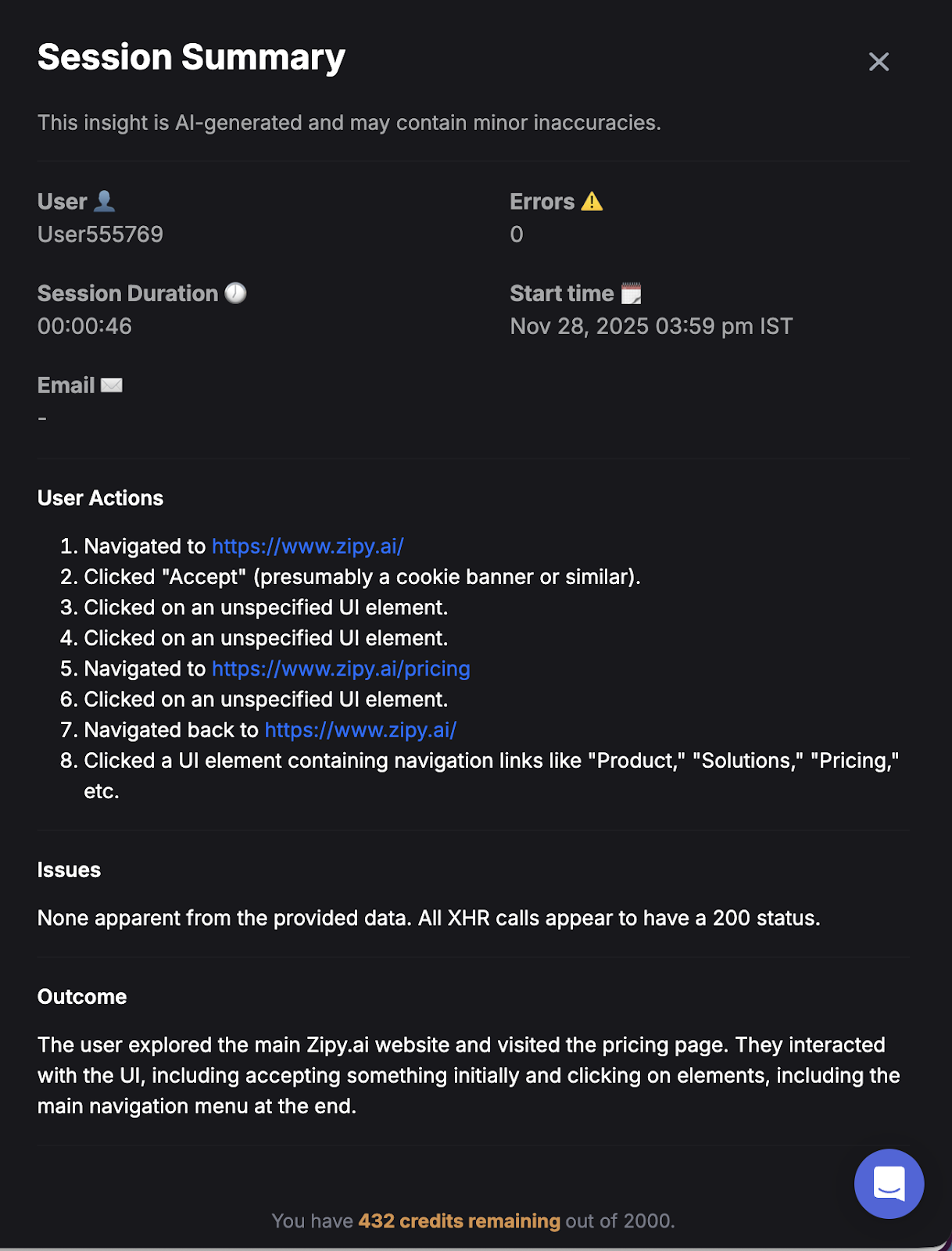
Step 3: Check Session Replay and AI Summaries simultaneously
To see what the AI came up with, click on the icon. While you watch the video, pay close attention to the exact times that are mentioned in the summary.
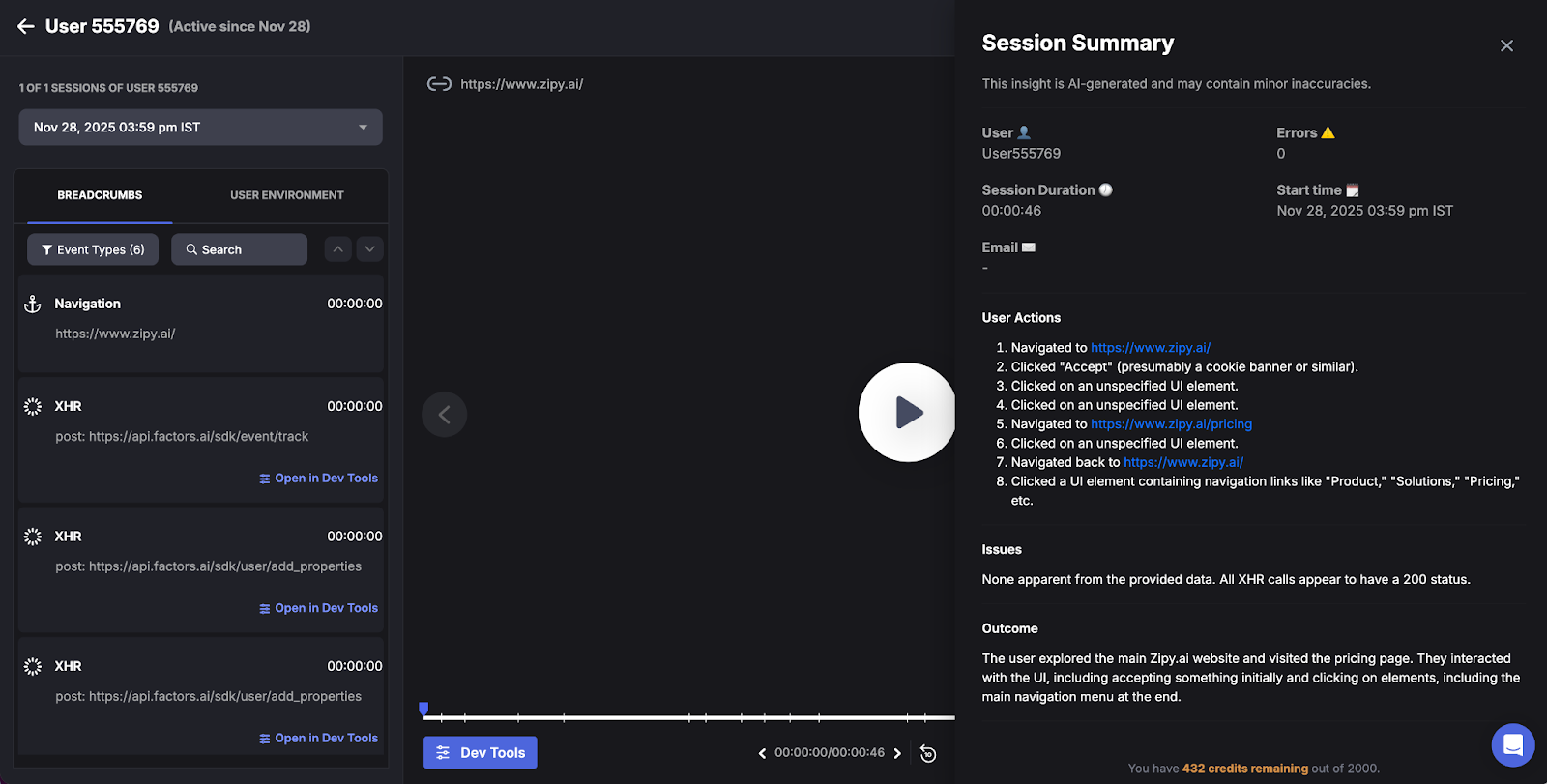
Step 4: Learn more about Oopsie AI
If you want to learn more about the Session Replay, click on Oopsie AI. To get information from the data, you can ask a number of questions, such as "What went wrong with the checkout API?"
"Did this error happen because of a specific version of the browser?"
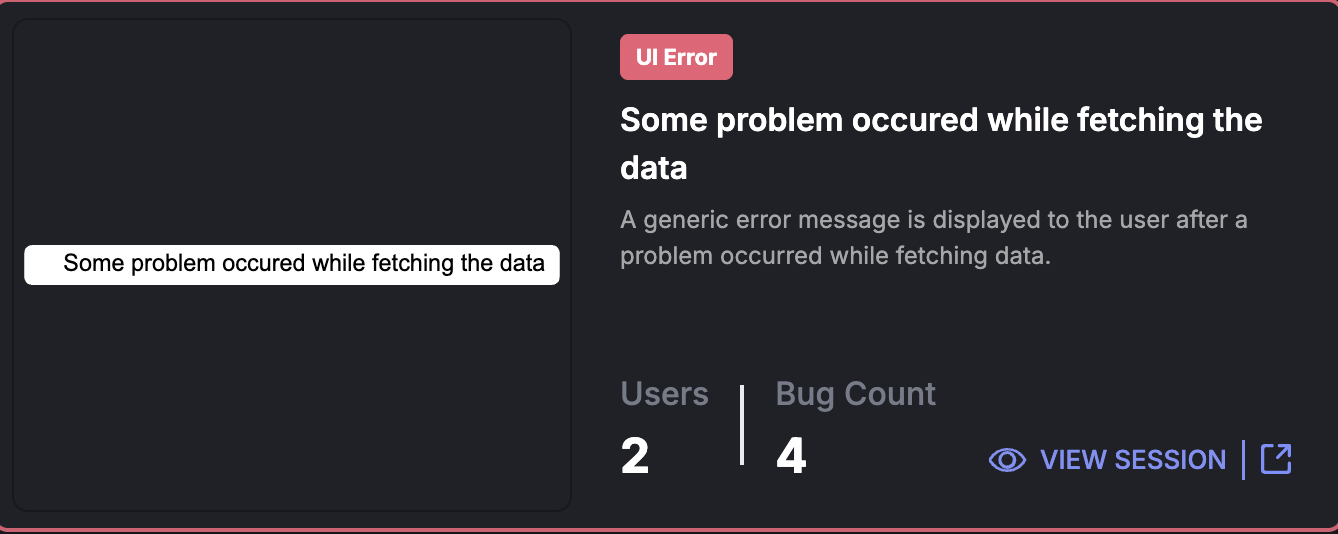
Step 5: Put the Fix into Action
- Fixing certain UI bugs or problems that weren't fixed.
- Making slow API endpoints work better.
- Making UX flows better by getting rid of things that cause problems.
From Insight to Fix
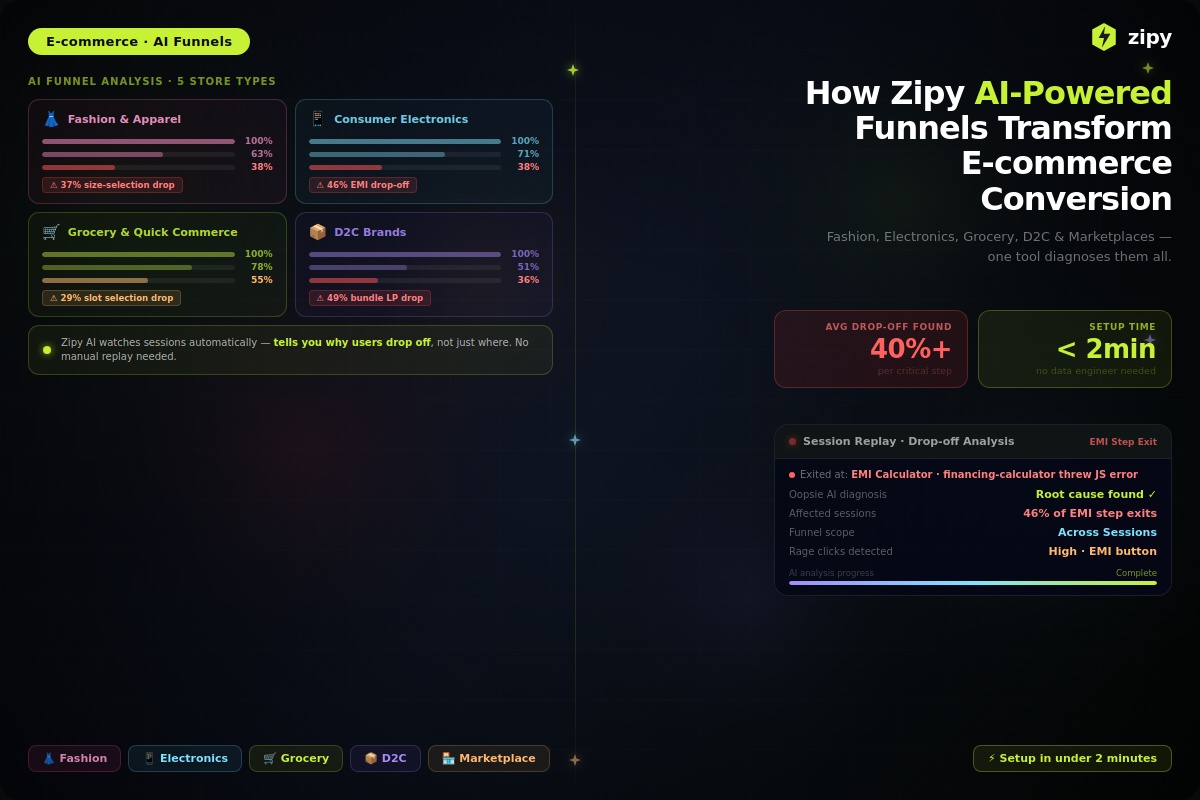
AI Summaries tell you why people are leaving, and Zipy Funnels tell you where they are leaving. You can use these tips in your daily engineering sprint to move from fixing bugs as they come up to making your products last longer.
Do these things to get the most out of AI Summaries:
1. Make it easier to find (lower MTTR)
Finding out what the problem is takes up 80% of the time in traditional debugging. This takes less time because Zipy's AI quickly finds the most likely cause.
The Shift: Instead of reading thousands of log lines, you get important information like "NullReferenceException in PaymentController."
2. Put the Root Cause Where It Belongs
A log file only tells you what went wrong, not how the user did it. AI Summaries fills this gap by finding a balance between three important sources of information:
The Code: Errors in the console and stack traces.
The Network: Details about API calls that failed and latency.
The User: Proof from the Session Replay.
3. Focus on the things that are most important to you.
There are many kinds of bugs. Use AI to help you figure out which engineering tasks will have the biggest impact on the project.
High Priority: Issues that stop basic user flows or change "Money Pages," like Checkout, Pricing, or Sign-up.
Low Priority: UI problems that don't affect pages that are important.
FAQS
1. How does Zipy AI keep session data private when it looks at it?
A: Zipy makes sure it follows SOC 2 Type II and GDPR by following strict rules. Oopsie AI looks at telemetry data, such as console logs and DOM events, but it never shares any PII (personally identifiable information). It does this by using built-in masking tools to make sure the AI model never sees any private user data.
2. Can Oopsie AI find bugs that don't cause the console to crash?
A: Yes. Oopsie AI looks for "Frustration Signals," which are things like angry clicks, dead clicks, and fast mouse thrashing. It can find broken user flows and UX bottlenecks even if the code runs without throwing a normal JavaScript error.
3. Do I have to start AI Summaries by hand every time?
No. Zipy automatically creates AI Summaries for sessions that have a lot of problems, such as API failures (5xx errors), script crashes, or big latency spikes. This makes sure that you know about important issues without having to do anything.


.webp)

.svg)